 SynthMaker
Code
Share and paste
A sound travels as text. Share sends it with a link at the end; whoever opens the link gets the sound, and the text pastes back into SynthMaker as it is.
1Share
With the code showing, choose Share. On a phone it opens the share sheet; elsewhere it copies the message, ready to paste into a chat: the sound's code, then a last line with its link.
What Share sends · Smooth Pluck
# SynthMaker · Smooth Pluckvoice = Voice()osc1 = Oscillator(fine: -6 ct)osc2 = Oscillator(fine: +6 ct)filter1 = Filter(cutoff: 300 Hz, resonance: 0.3, envAmount: +5 oct)env1 = Envelope(attack: 1 ms, decay: 180 ms, sustain: 0, release: 180 ms)env2 = Envelope(attack: 1 ms, decay: 500 ms, sustain: 0, release: 500 ms)vca1 = VCA(level: 0.223)smooth = Smooth(cutoff: 1.2 kHz) voice -> osc1 -> filter1 -> smooth -> vca1 -> outvoice -> osc2 -> filter1voice.gate -> env1 -> filter1.envvoice.gate -> env2 -> vca1.gainvoice.velocity -> vca1.gain2 effectsdelay1 = Delay(mix: 0.22)reverb1 = Reverb(decay: 2.4 s, mix: 0.24)master = Master(volume: 1) voices -> delay1 -> reverb1 -> master module Smooth in x out y setting cutoff: 800 Hz, from 20 Hz to 20 kHz a = exp(-2 * pi * cutoff / rate) y = x + (y' - x) * aend # Open it in SynthMaker: https://synthmaker.com/app/#p=jVJNb9QwFLz7V4zEAYfuhsTbomolkCo-1EtFRaXejddprXXsVexESf8Yd34Zz04CVAjEJR575o3fG-cF7iYXH2_kUXf4_g13rffxEbe2V0c2eKM0gLe4T4gXzAdVI598DspYK6PveGOc3mP7BipmhfiL4mxWNMZG3dWk-JQRV330TbPHrqpw_bRBp4N30ikqqcrdBtoNV63vXSSLC_jkQUdLHx_doK0_aS5jlOq4R402bHDQSk60uazyNvQhSuPIMNlbLYNeyWwm_sfsovqH2UwWbFBy6ez-_RW3mgzTGELsChbmcImbY_45eV0KHK-fCrZEvn2HnDSta1oEl3JC-ZIk6uOzCvFbxUyUDzJmNif2iy1p_6dCrOZ0aNzCp0iUidMzTjCmm0arGNhBWznVaaoPCfHWjPPEBeto_O5reuovGfElSVGeg4JclecFa2WgtpLJTUZ88LZv0yOtoYR0_3IXodWa4FzLWOsPvdVLtgwwDiMtFBImWoOO0bgHrKFfLr9b0_kWImFEnwC9BMkl9aLHE98KvMLJ0GcuxGt0lFhBkokkI87Ap5fYYixII-lvOrAf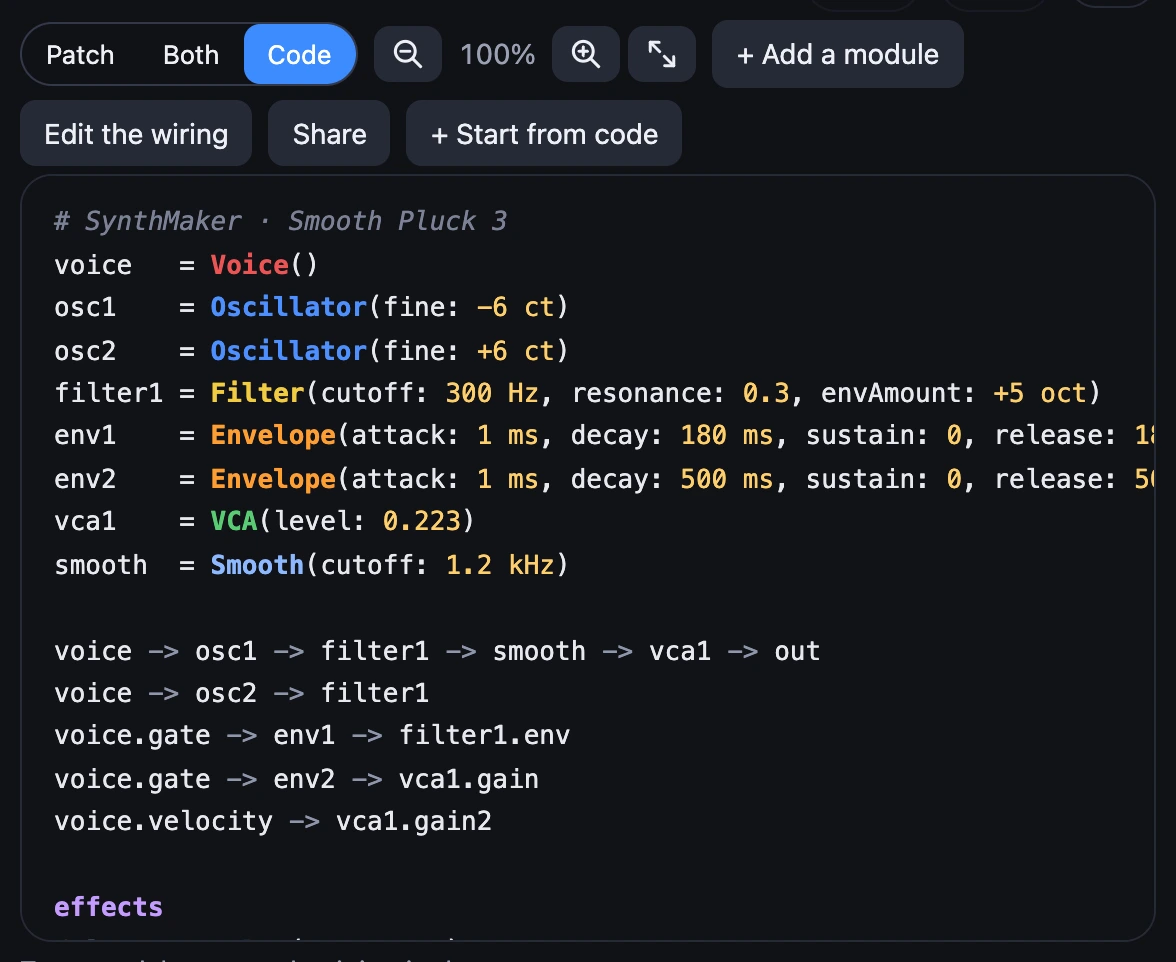
2Open it
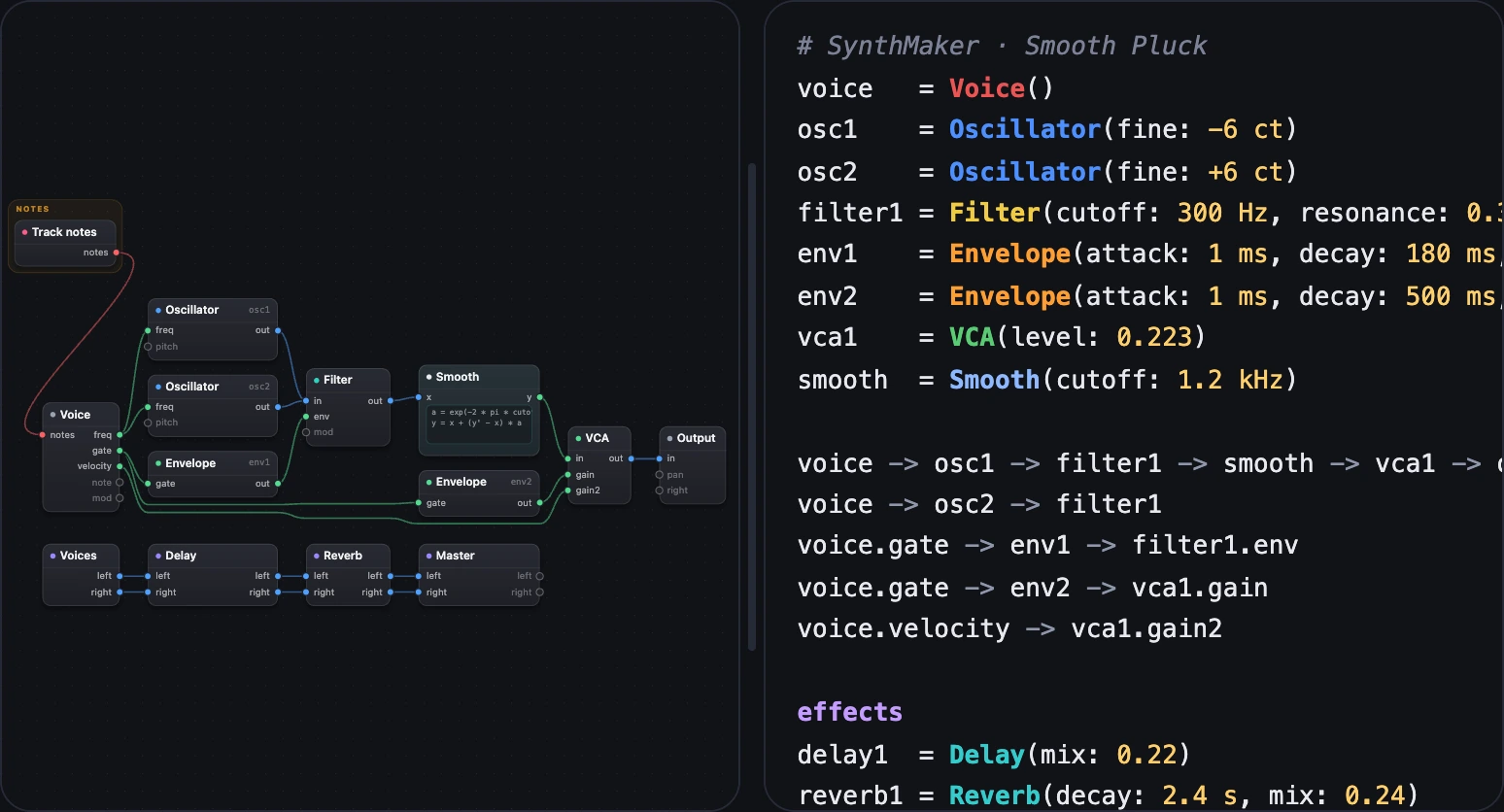
Open the link and SynthMaker opens with the sound, which goes into My sounds: on the web at once, nothing to install. Most of this manual's Open links are such links.
3Paste the text
Paste a shared text over a sound's code (select it all, then paste) and the sound becomes the pasted one. Undo brings yours back.
Try it
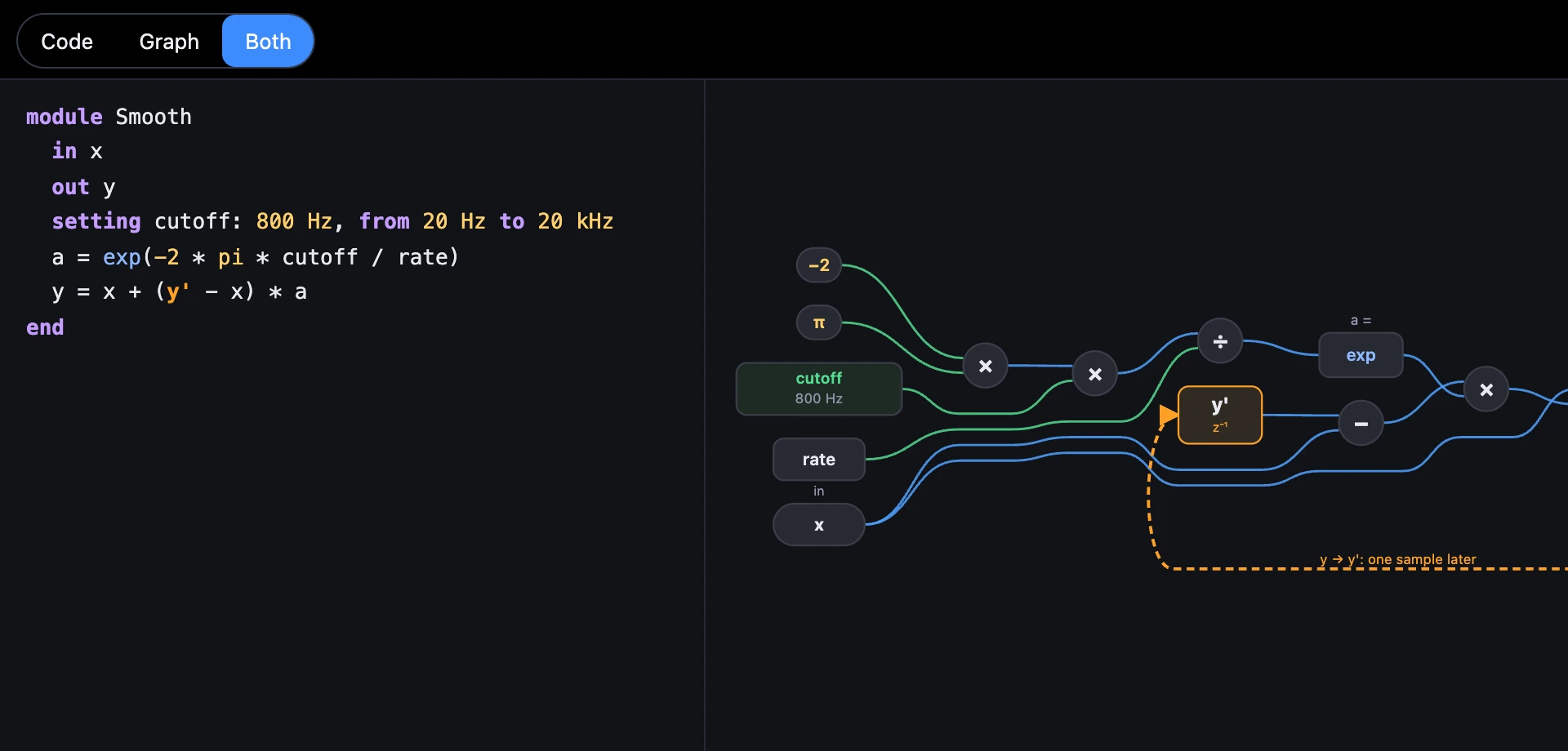
- Open Smooth Pluck, choose Both, then Share.
- Paste the message into a note or a chat to yourself, and open its link.
Remember
- Share sends the code and a link; the link opens the sound.
- The link line is a comment, so the message pastes back as code.
- A shared sound lands in My sounds.