 SynthMaker
Amber and red
A list checks itself at two levels, so a half-used grid is never shouted at. Amber is a reminder; red is a row that can never play.
1Amber: pads not used yet
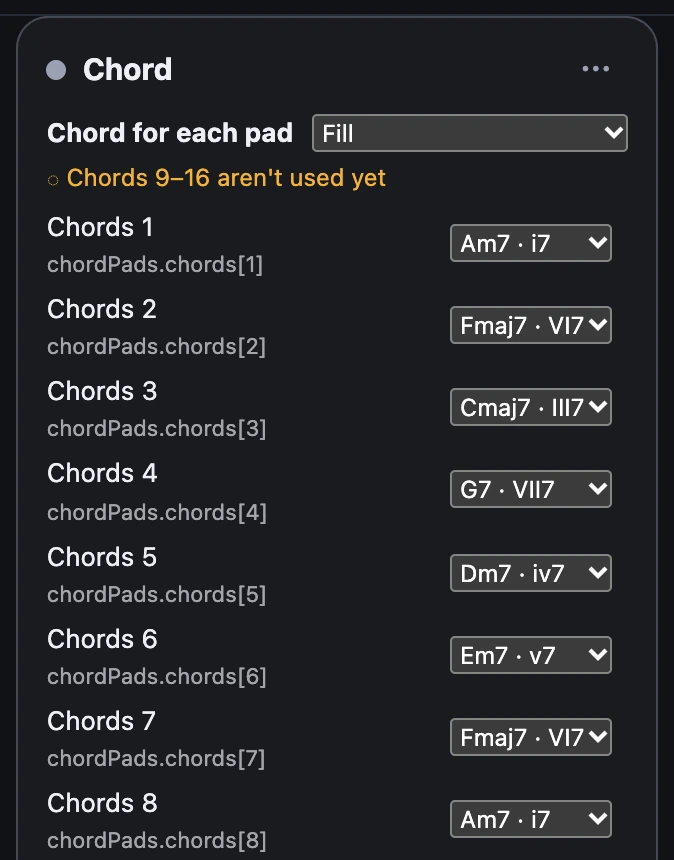
When a list has at least one row, the pads that arrive without one get a gentle note under the module's title: Chords 9–16 aren't used yet. One pad says isn't used yet; gaps are listed, as in Chords 2, 5 and 9–16.
Nothing turns red and the bus stays green. A module with no list at all plays its own setting for every pad, so it never gets a note.
2Red: a row that can never play
A row is red when the patch as it is can never play it:
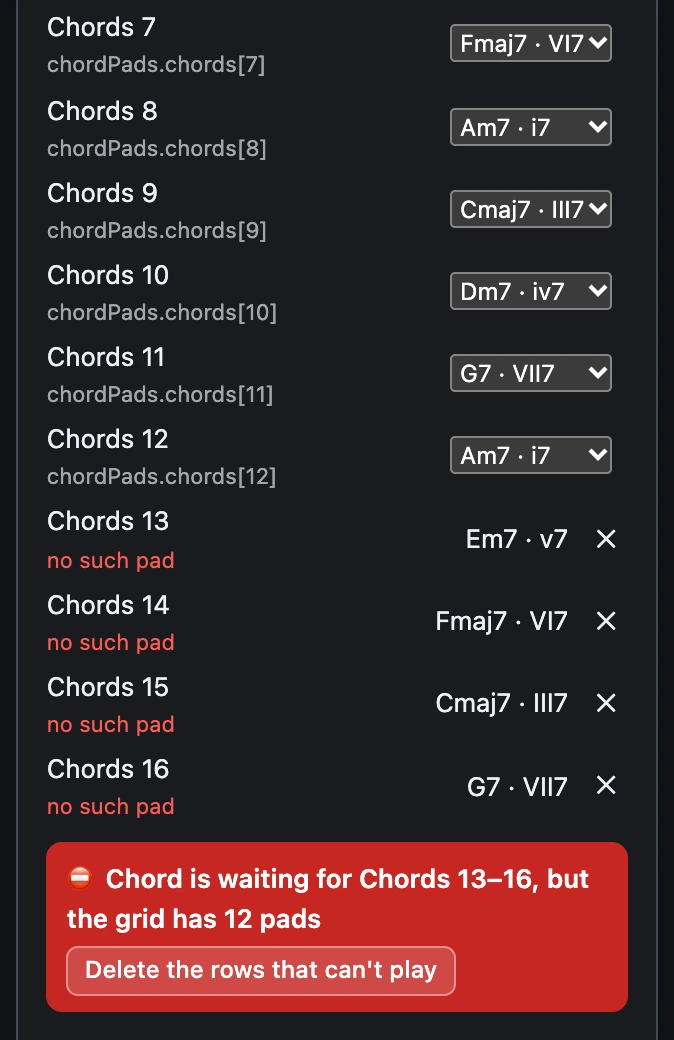
- The grid shrank below the pad: Chord is waiting for Chords 13–16, but the grid has 12 pads.
- The grid is gone, deleted from the face: the card names the tags as the code writes them, … but there's no grid chordPads.chords any more.
The rows say why (no such pad, grid gone), a red strip at the bottom of the card says it in words, and in the Patch the module gets a red mark and the bus carrying the grid turns red. A grid that's gone has no wire, so there the mark is the sign.

- A red mark. In SynthMaker, point at it to read why.
- The bus, now red.
3Tidy up in one step
Each red row has its own ✕. Delete the rows that can't play in the red strip takes them all away at once, as one undo step.
Try it
This grid went from 16 pads to 12 with rows 13 to 16 kept. Read the red strip, choose Delete the rows that can't play, and watch the bus turn green.
Open the example sound: Chord Pads: the grid shrank ↗ (opens in a new tab)Remember
- Amber: pads arriving with no row yet. Only a note.
- Red: a row past the grid's pads, or for a grid that's gone.
- Grey rows are unwired on purpose, and never checked.