 SynthMaker
A wire that knows it's a bus
Wire a grid of pads into a module and the wire changes by itself: it turns thicker, says how many pads it carries, and every module it reaches makes a row for each pad.
New words
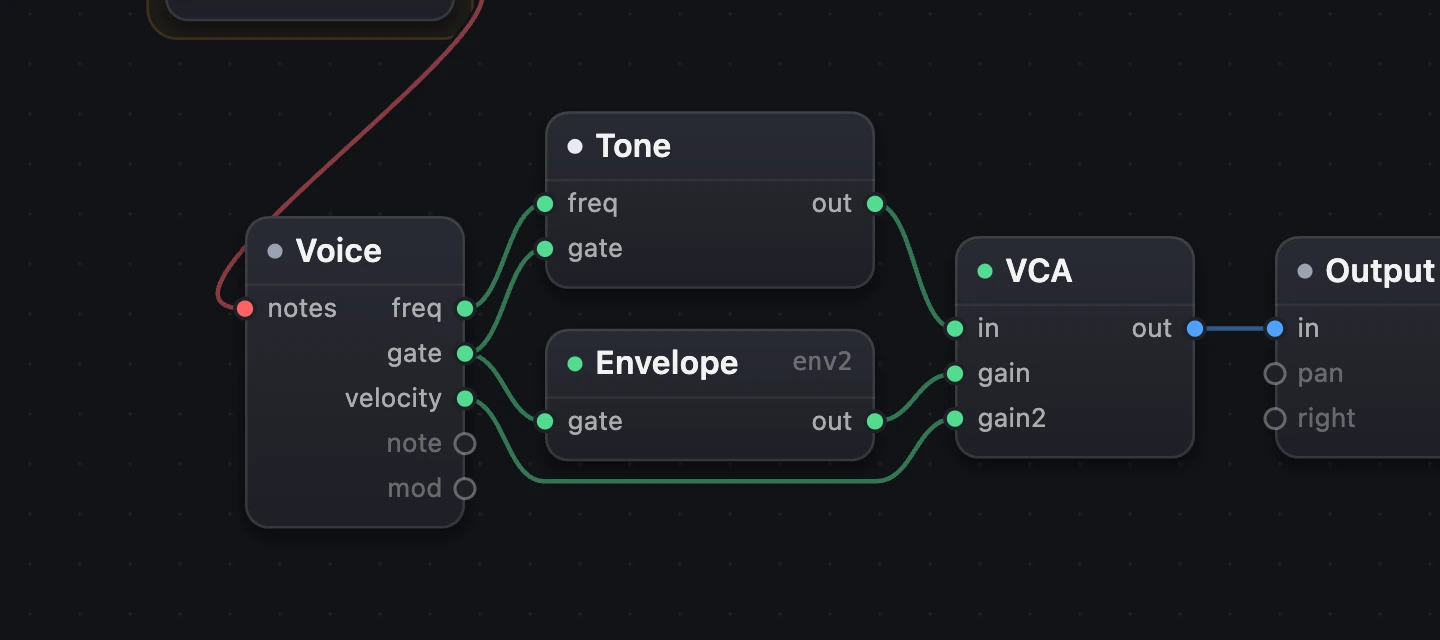
The Patch is the picture of a sound: its modules (an Oscillator, a Filter, an Envelope) as boxes, and the wires between them.
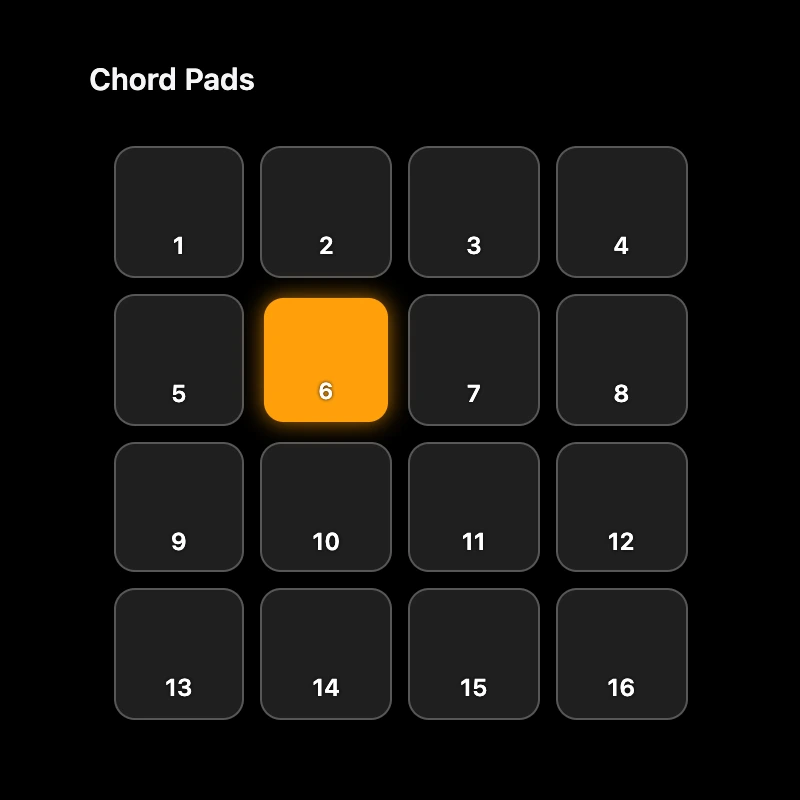
A grid of pads is a block of pads on a module's face, rows by columns, each one a button you press.
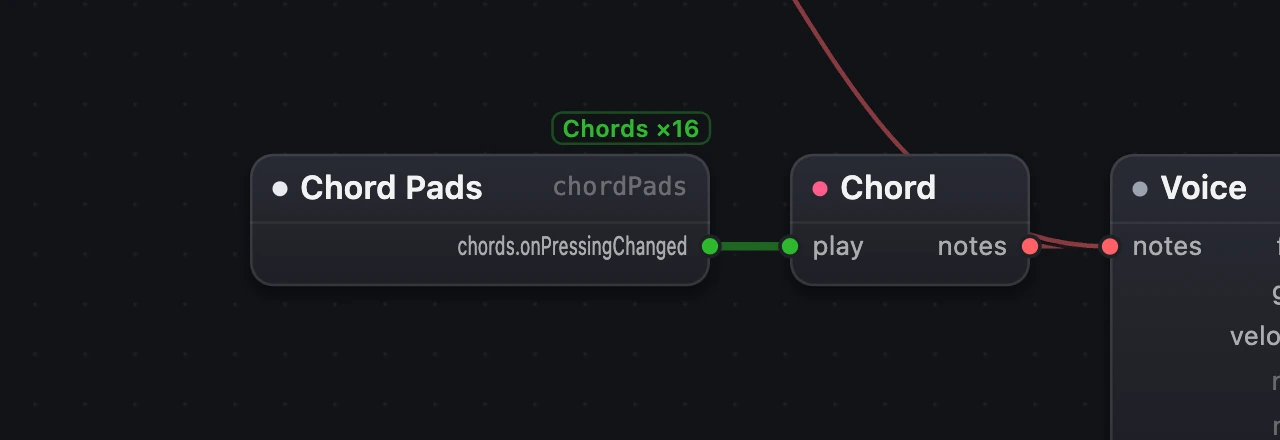
A bus is one wire that carries the presses of every pad of a grid, drawn thicker, with its name: Chords ×16.
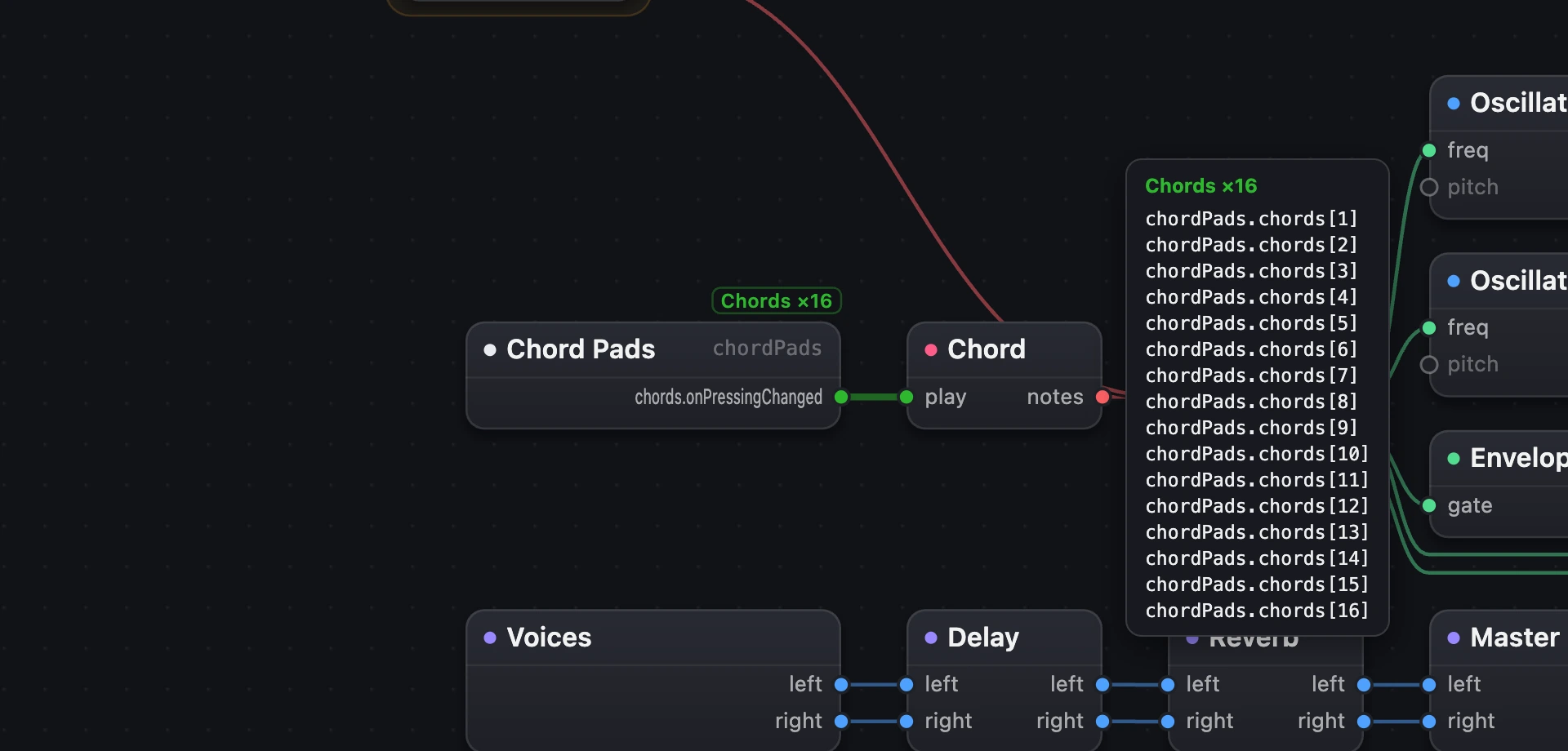
A tag is what each press says about where it came from: which grid, and which pad. Chords 3 is pad 3.

- You'll seehow a wire tells a bus from a plain wire, by what it carries.
- You'll makea grid of sixteen pads in a module's face.
- You'll reada bus's tags, in the Patch and in code.
1One button, one wire
Start with a module of your own, Chord Pads, whose face has a single button, Play. Its wire into a Chord is a plain green message wire: every press sends the same message, so the Chord plays its own chord every time.


- Chord Pads, with one Button: Play.
- A plain green message wire.
- The Chord.
- The wire's name, once, at the port it leaves: Chords ×16, the grid's name and its number of pads.
- The bus: thicker, labelled Chords ×16.
- The same Chord, unchanged.
2Sixteen pads, one bus
Now give the face a grid instead of the button.
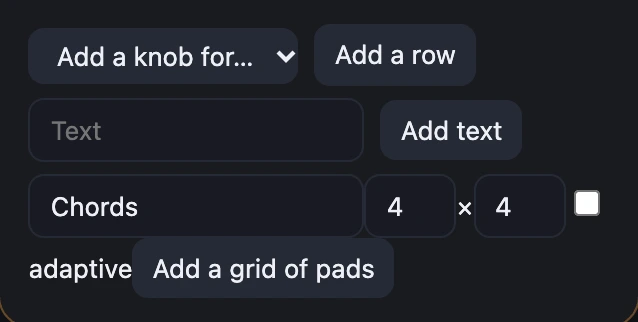
- On Chord Pads' card, choose Edit face. Under its views, type the grid's name, Chords, set it to 4 × 4, and choose Add a grid of pads.
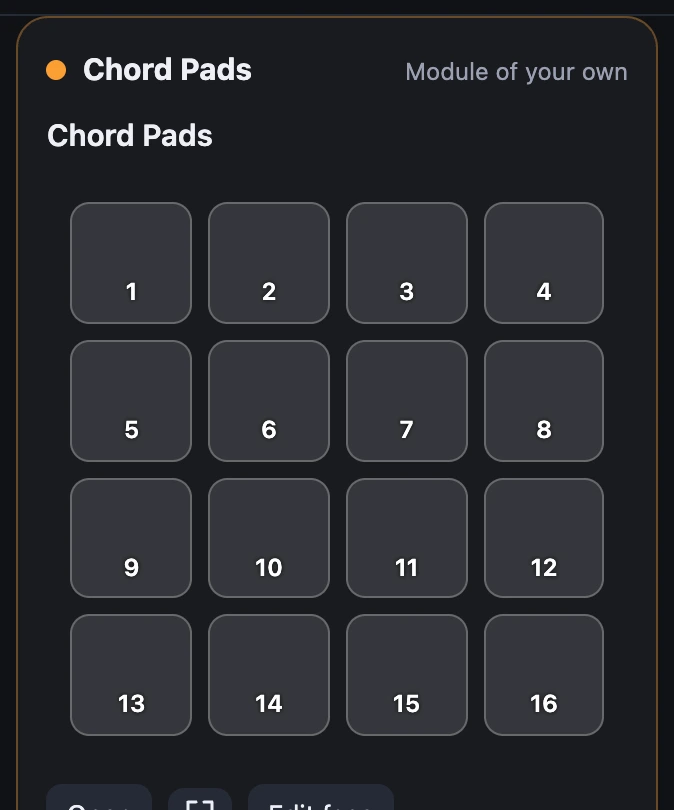
- The face now has the grid: sixteen pads, numbered 1 to 16.
- Choose Edit the wiring and wire Chord Pads' new output,
chords.onPressingChanged, into the Chord'splay. The wire turns into the bus.
That's all. You never tell the wire it's a bus: it sees that its messages come from a grid, and draws itself as one, in Nested and Flat, inside custom modules and out.
One Pad for the whole grid
The grid is one view, so it has one Pad, chords, and the Patch draws one card for it however many pads it has. Its outputs are a single button's: action, a tap when the press ends, and with SwiftUI's press gesture, .onLongPressGesture(minimumDuration: 0) from the face editor's modifiers, perform and onPressingChanged. Chord Pads has the gesture and wires chords.onPressingChanged, so a pad plays while you hold it and stops when you let go.
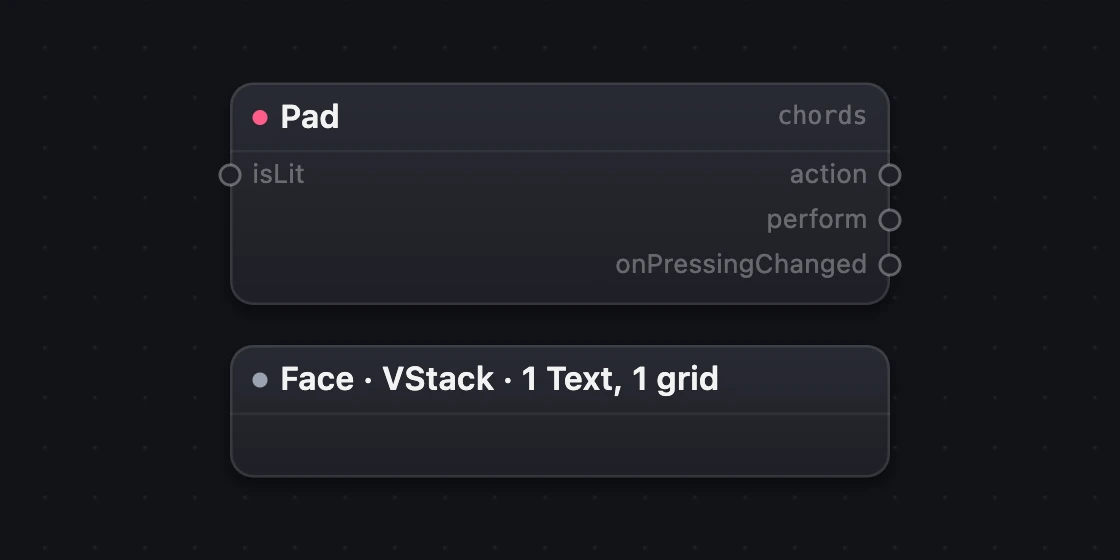
- The grid's one Pad.
action: a tap.onPressingChanged: on, then off.
3Point at the bus to see what it carries
In SynthMaker, point at the bus (or tap it on a touch screen) and it lists its tags: the label as a header, then one row per pad, as the code names it from here. A tap's list stays for four seconds. Over sixteen pads, the rows go in columns of sixteen. Try it on the picture: point at the ringed bus.


- The label.
- Its tags, one per pad:
chordPads.chords[3]is pad 3 of the gridchordsinsidechordPads. A pad with a title shows it too.
4Tags in code
In the Code view a pad is written as the grid with its number in brackets: chordPads.chords[3], as a Swift subscript names an item without calling it. The face calls that same pad with chords(3), and the bus is the one wire from the grid.
chordPads = ChordPads() …chordPads.chords.onPressingChanged -> chord -> voice …patch ChordPads "Chord Pads" chords = Pad() …endchords = Pad().
Remember
- A wire is a bus when its messages are tagged: they come from a grid of pads. You don't set it.
- A bus is thicker, labelled once at its source (Chords ×16), and lists its tags when you point at it.
- A pad in code is the grid and its number:
chordPads.chords[3].